Buying & delivery
You get a digital license by email after payment.
- Instant delivery after checkout
- Keep your order email
- One license per purchase
Setup & updates
Follow Setup after you buy. Check Status after big The Isle or game updates patches.
Refunds
Read the refund policy before you buy if you need details.
What is Buy Isle Cheats?
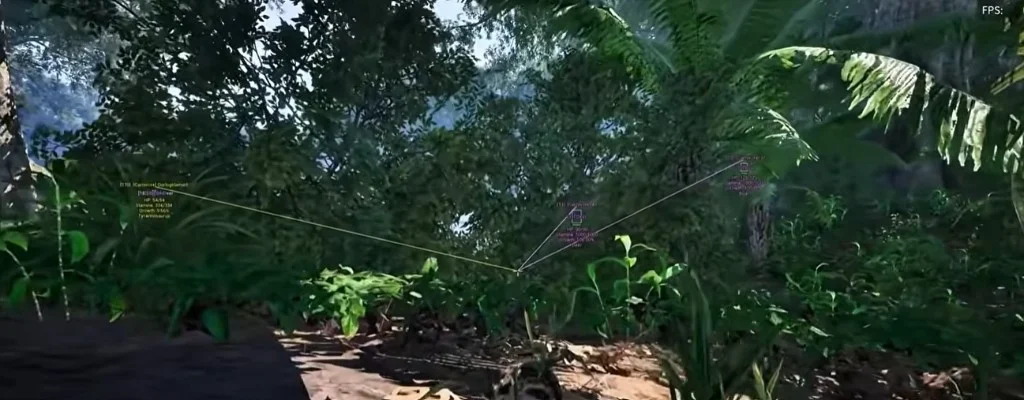
Buy Isle Cheats is the storefront and information site for The Isle cheat tools on Windows PC, including player and entity information, ESP-style visuals, radar, and configuration options.
Which game does the product support?
The product is built for The Isle on Windows PC. Buy Isle Cheats does not sell tools for other games.
What platform is supported?
Buy Isle Cheats licenses are for Windows 10 and Windows 11 PCs. Other platforms are not supported.
What features are available?
See the Features page for player information, visual ESP-style options, entity information, radar views, and configuration controls. Availability can vary by build — only listed features are described.
How does product access work?
After checkout, license and access details are delivered digitally. Timing can vary by payment method. Keep your order confirmation for support.
What plans are available?
Monthly and lifetime plans are listed on the Store page. Both include the same feature set unless a plan note says otherwise.
How are updates handled?
Update notes are posted on the Status page when The Isle changes affect the product. Check Status before playing after a major game patch.
What happens when the game updates?
When The Isle receives a major update, confirm the latest Status note before launching. Compatibility can change with game updates — we do not guarantee uninterrupted operation.
How can customers get support?
Use the Support page or email support@buyislecheats.org with your order ID and a clear description of the issue.
What should users check before installation?
Confirm your Windows version, read the Setup guide, review Status for recent notes, and ensure you have your license email before installing.